

From 2007 to 2011, Mitsubishi Motors saw its sales to Millennials drop almost 30%.
Through research, the company learned that these consumers — born between the 1980s and 2000 — couldn’t get information they wanted from the Mitsubishi website, because it wasn’t conἀgured to serve mobile devices. The company launched a new mobile-enabled site in 2014, and three months later sales rose 57%.1Websites play a significant role in building and strengthening brands. Whether you’re re-launching a website or introducing a new one, it’s a powerful opportunity to position your company for success.“Today’s consumers are increasingly likely to ἀrst encounter your brand online than off, and even those who get their ἀrst impression of your brand in print often follow up with a Google search,” reports Business News Daily.2 About 75% of Internet users make judgments about a company’s credibility based on its website design, according to Stanford University research, so a site must be visually appealing.3 But looks aren’t everything. Consumers also demand a great deal of functionality from a company website. They expect to ἀnd information easily, and they prefer sites that serve as a social hub where they can interact with company employees and connect with other consumers. Because websites serve so many functions and have so many moving parts, it’s a serious undertaking to design, build and launch a site. If you want killer results, you need a solid plan. Follow these six steps to capture potential customers’ attention and encourage them to become fans of your brand.
About 75% of Internet users make judgments about a company’s credibility based on its website design.
WEBSITE DESIGN TRENDS
- Large background videos will continue to be popular. They instantly grab attention and retain viewers by entertaining them with details about new products and services.
- Sites will deliver personalized content that says more to the visitor than “welcome back.”
- “Flat” design will be popular, with subtle call-to-action buttons that stand out without being cartoonish or screaming, “Press me!”
- More information will be presented through scrolling rather than clicking to accommodate the increased use of mobile devices.
- Websites will include more interactive storytelling using images, scrolling infographics and other elements to tell a brand story.
STEP ONE – CREATE PAGES THAT ENGAGE READERS QUICKLY
Average first-time visitors make judgments about a website after only two-tenths of a second, according to Entrepreneur.com. After another 2.6 seconds, they will concentrate enough to reinforce that initial judgment. If a website doesn’t resonate with readers immediately, it can lose them in the blink of an eye.
Use these strategies to attract and retain readers:
Reinforce the site’s main goal
Your website can achieve many things, but it should still have one primary goal, whether it’s selling products and services, educating customers, establishing the company’s credentials or generating leads. Every picture, every bit of text, every link and every button should support the primary goal. If your site’s mission is to capture leads, then each page should include devices to gather visitor information, whether it’s a “Contact Us” call to action or a sign-up form for an e-newsletter.
Keep text short and to the point
Remember, you have less than three seconds to capture a visitor’s attention and compel them to explore further. Don’t discourage them with long paragraphs. Use clear, concise text that states what you offer, and make clear what you want the visitor to do – make a purchase, sign up for a demo, subscribe to a newsletter. Make calls to action visible, placing buttons such as “Request a Quote” near the top of the page.
STUDIES SHOW THAT COLOR CAN INCREASE BRAND RECOGNITION BY UP TO 80%
Capture attention with large images
More companies are using large photographs or even page-wide videos as homepage backgrounds. A large image can grab attention and quickly communicate the purpose of the site.
Reinforce your brand with color
Studies show that color can increase brand recognition by up to 80%.4 Use a color palette that appeals to the target audience and also aligns with the character of the company. For example, cosmetics manufacturer L’Oreal avoids using gray, orange and brown on its website, because women don’t respond well to them, reports KISSmetrics. Instead, it combines black and white with a purple overlay.
Make your re-launched site familiar
“A re-launched website should deliver fresh ideas, but it should also include design elements from the previous site,” says Mike Santos, Marketing Director for G3 Communications, which re-launched its Retail TouchPoints website (Retailtouchpoints.com) in March 2014. If customers are familiar with a brand but the company’s new site appears completely unfamiliar, they might feel disoriented. Santos advises that you include a color that ties back to the old site or preserve a previous interface, such as a sidebar with product information and a call to action.
STEP TWO – MAP OUT YOUR CONTENT WORKFLOW
With a large number of digital assets and text ἀles Ḁowing in from many different departments and contributors, it’s critical to manage the workḀow. Otherwise, employees might waste valuable time on redundant writing projects, and someone could inadvertently publish the wrong product photo. To organize website production, require all contributors to manage text, images and videos in a centralized content management system (CMS). A CMS allows multiple contributors to produce, edit, organize and update content without redundancy and without stepping on each other’s toes.With a CMS, you can assign web publishing tasks to speciἀc individuals to ensure the accuracy of information on your site. For example, you may authorize only certain members of the sales team to contribute pricing information and only senior managers to approve that pricing data.Be sure to schedule two or three rounds of editing to eliminate embarrassing errors in grammar and punctuation, advises Santos. “If a person helps create copy, they’re probably going to overlook small errors, so we assigned different departments to crosscheck each other’s work,” he says. “Early in the process of redesigning the site, you should get the marketing team together with company leaders and editors to determine what content should carry over, what will need new copy or graphics, and what you should eliminate,” Santos says.
Require all contributors to manage text, images and videos in a centralized content management system (CMS).
HOW CMS IMPROVES SEO (SEARCH ENGINE OPTIMIZATION)
If people can’t ἀnd your site through search engines, your content will go to waste – no matter how outstanding it is. A CMS helps manage four important steps for search engine optimization (SEO):
- 1. URL redirects: If you’re re-launching a site, some pages might have new URLs. By using 301 redirects, you can lead visitors and search engines to the new URLs and preserve search engine rankings for those pages.
2. Custom URL and page metadata: With a CMS, you can customize page titles, URLs and description metadata to include important keywords. By tailoring this data for the site, you can make a signiἀcant impact on search engine rankings.
3. XML sitemap: Once the site goes live, you can use a CMS to create an XML sitemap of your entire website. This will help search engines understand your site’s structure and content.
4. Page-load performance: About 40% of visitors abandon a website that takes more than three seconds to load, according to KISSmetrics.6 A CMS can cache static components of web pages so they will load quickly and prevent search engine penalties for slow website performance.
STEP THREE – USE A MOBILE-RESPONSIVE DESIGN
In 2014, mobile Internet usage overtook desktop usage; there are now 1.2 billion mobile users in the world.7 Potential customers will most likely browse your company website on a smartphone or tablet, so it’s important to use a “mobile-responsive” design, where the website automatically adjusts to ἀt smaller screens.When people encounter websites that aren’t mobile-friendly, they sometimes struggle to access information, get frustrated and form a negative opinion of the company. They’re likely to leave the site quickly, which increases the “bounce rate” and harms the site’s ranking on search engines.A web developer can code your site to make it mobile-responsive. If you’re using a web CMS, look for platforms that ship with default themes that are responsive. Your web developers can customize the default themes or use them as reference examples for building new, mobile-responsive themes. While a CMS will adapt your site to mobile devices automatically, it’s still important to create pages that will be effective when they are smaller and being used by people who are on the go. “You should really think about mobile design early in the process of creating a site,” says Santos. “With Retail TouchPoints, we actually designed it for mobile use ἀrst.”He explained that his team considered how mobile users are often distracted or pressed for time. “They don’t want to fumble around trying to ἀnd things,” he says. With this in mind, they designed the site so that critical content was visible immediately on a mobile device and not buried at the bottom of a page or hidden behind ads. You should also consider reducing the number of links that people must click to navigate the site. There’s been a recent trend toward scrolling instead of click-through navigation, because people have found that it’s difficult to ἀnd a link, read it, click it and wait for a page to load on a mobile device.
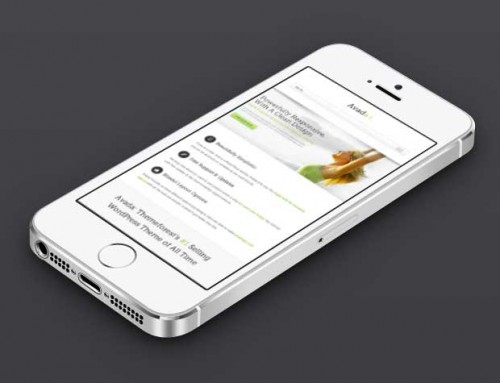
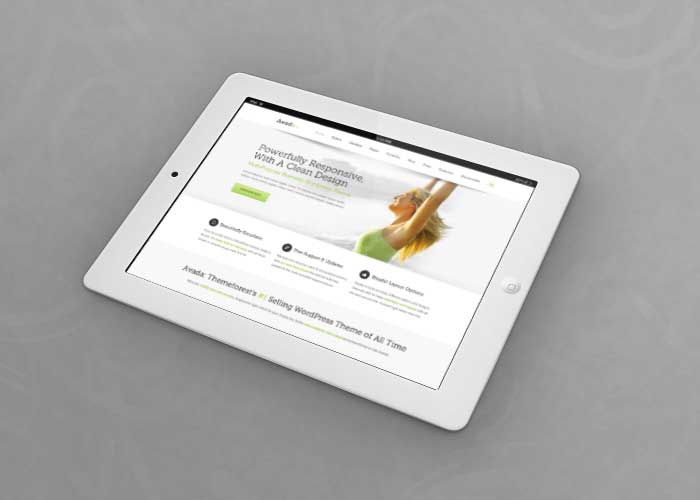
Mobile-responsive design automatically configures the website to fit smaller screens and allows you to designate certain layouts for particular devices.
STEP FOUR – ENGAGE YOUR VISITORS DIRECTLY ON YOUR WEBSITE
For years, companies have been pouring more resources into marketing through Facebook and other social media sites, but that might be changing. In February 2014, organic reach on Facebook averaged just 6%, a decline of 49% since October 2013, according to a report from social@Ogilvy. To broaden the reach of a Facebook post, companies must now pay to promote it. Instead, more businesses are opting to build communities on their own websites.Many businesses are launching blogs where they post news and share images and videos concerning products, their employees and community events. They’re also building forums to host discussions with customers and get feedback on products and services. Consumers have gradually begun to view these communities as primary sources of information. The past three years have seen a 25% increase in the number of consumers who use company-hosted communities for customer service, according to Vala Afshar, Chief Marketing Officier for Extreme Networks. An online community can benefit you and your customers in several ways. Here are four of the top reasons a website should go social:
Own the conversation
Customers are likely discussing your brand already on Twitter and Facebook. When you bring the conversation to your own forum, you can more immediately identify conversations and learn about customer concerns.
Consumers have gradually begun to view companies’ online communities as primary sources of information.
Foster dialogue between customers
Shoutly found that 82% of consumers favor personal recommendations when shopping online.10 If you operate a forum, visitors will appreciate having a place where they can mingle with other customers to get opinions on products. Encourage blog authors to communicate with visitors through the comments section, which strengthens customer relationships and demonstrates your company’s transparency and responsiveness.
Encourage visitors to spend more time on your site.
Through a blog, you can provide visitors several ways to further explore your website. In blog posts, provide links to press releases, product video and older posts. In addition, insert links to other blog posts on your site, especially those that relate directly to the current post.
Improve SEO
Search engines rank user-generated content highly, so your SEO improves as more visitors post comments on blogs and forums. For example, it’s helpful to host Q&A sessions, because search engines place a high value on content that includes consumer questions and answers to those questions.
STEP FIVE – CREATE AND EXECUTE A DETAILED QUALITY ASSURANCE (QA) PLAN
Even a carefully planned new website inevitably experiences glitches, but you can minimize errors by reviewing all components and functions prior to the launch. When you build a pre-launch checklist, be sure to include the following steps:
Check Web Forms:
If a website is designed to generate leads, it likely includes a marketing automation platform. Prior to the launch, go through the site to ἀll out and submit forms and ensure they’re working properly. Are the forms sending leads to the marketing automation system? Are there errors with any forms? Does the reader receive an automated response?
Examine page URLs:
Check every URL on the site to ensure that is leads to the right destination. If you’re re-launching a site, create an Excel spreadsheet showing URLs for all old pages and new pages. This will help prevent content from getting lost in the migration.
Test Browser Compatibility:
Use software such as SuperPreview to see that the site loads properly on a wide variety of browsers.
Check Site Speed:
Websites such as Pingdom.com and WebPagetest.org allow you to test the loading speed of pages and identify performance bottlenecks.
Review the Quality of Images:
Ensure that all images on the site are optimized to appear at the right resolution on all browsers. Use a program such as ImageOptim to create lossless compressed images that allow pages to load more quickly.
Activate Analytics Tools:
Make sure you have set up Google Analytics or other tools to measure website traffic as well as the data created when visitors participate in your online community.
Stress-Test the Site:
A surge in traffic during a launch could overload a web server. Use a program such as Load Impact to test your web server performance under normal and excessive loads.
ENSURING A SUCCESSFUL LAUNCH
While troubleshooting will help ensure a smooth launch, success really depends on a strong foundation. An exceptional site must incorporate modern design trends, new backend technologies and social spaces that build a sense of community.The rapid rise of Instagram shows how images are driving online content. To attract and retain customers, websites must now lean more heavily on strong visuals and text that impacts viewers instantly and inspires them to click and scroll further.Once visitors are in, you must entertain, educate and serve them with high-quality content. By taking advantage of powerful backend systems, you can better manage the production of text, images and videos and avoid redundant work that leads to errors. With the right software, you can also optimize your site for mobile devices, which is critical considering how many people use tablets and phones to shop. Ensuring a Successful Launch Company websites have become the primary spaces where people interact with brands.While mobile shopping is making waves, social media has revolutionized the role of the business website. Consumers want to have more personal interactions with brands as well as with other customers, and savvy companies are building their own social communities to foster these relationships. Company websites have become the primary spaces where people interact with brands. The success or failure of your company might actually ride on how well your website performs. As Mitsubishi learned with Millennials, an effective site has the power to grow a consumer base and even boost sales. It takes lots of hard work and careful planning to create a great website, but the results can make a profound impact on the business.
Company websites have become the primary spaces where people interact with brands.